








Tips for Creating a Cozy and Productive Home Workspace
Creating a home workspace that is both cozy and productive can significantly improve your work-from-home experience. Whether you are a remote worker, freelancer, or need a dedicated area for focused tasks, designing the right environment helps you stay motivated and efficient. Below, we explore practical tips to make your home workspace a comfortable and inspiring place to work.
Choose the Right Location
Finding the ideal spot in your home is the first step to creating an effective workspace.
– Quiet and Low-traffic Area: Pick a space away from frequent household noise and distractions.
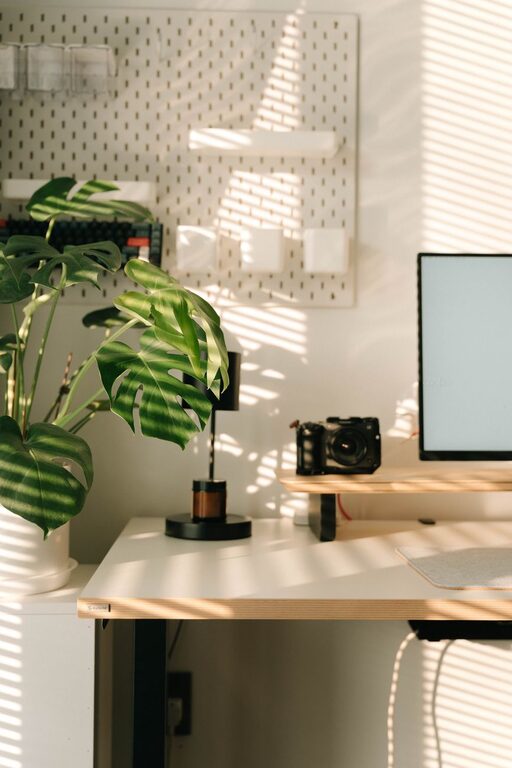
– Natural Light: Position your desk near windows to take advantage of daylight, which boosts mood and focus.
– Sufficient Space: Ensure there is enough room for your desk, chair, and any tools or devices you need.
Invest in Comfortable Furniture
Comfort is key to maintaining productivity during long work hours.
Ergonomic Desk and Chair
– Adjustable Chair: A chair with adjustable height and good lumbar support helps prevent back pain.
– Desk Height: Choose a desk at which your forearms are parallel to the floor when typing.
– Standing Desk Option: Consider a convertible standing desk to alternate between sitting and standing.
Additional Comfort Items
– Footrest: Supports your feet and promotes good posture.
– Cushions or Lumbar Support: Extra cushioning can add comfort for extended sitting.
Organize Your Workspace Efficiently
A clutter-free and well-organized space reduces stress and helps you focus.
Declutter Daily
– Keep only essential items on your desk.
– Store documents and supplies in labeled containers or drawers.
Use Organizational Tools
– Desk organizers for pens, papers, and gadgets.
– Cable management solutions to prevent tangled cords.
– Shelves or wall-mounted storage to maximize space.
Personalize Your Environment
Adding personal touches can make your workspace more inviting and inspiring.
– Plants: Houseplants improve air quality and add a natural vibe.
– Art or Photos: Display images or artwork that make you feel positive.
– Colors: Choose calming colors for walls or decor to promote concentration.
Optimize Lighting
Good lighting reduces eye strain and keeps you alert.
– Natural Light: Maximize daylight but avoid glare on screens.
– Task Lighting: Use a desk lamp with adjustable brightness.
– Ambient Lighting: Soft overhead lighting helps maintain balanced illumination.
Minimize Distractions
Creating boundaries between work and home life is vital.
– Set specific work hours and communicate them to family or housemates.
– Use noise-canceling headphones if needed.
– Turn off non-work-related notifications during focused periods.
Incorporate Technology Thoughtfully
Tech tools can enhance productivity when chosen carefully.
– Reliable Internet: Ensure you have strong, fast internet connectivity.
– Ergonomic Keyboard and Mouse: To prevent strain during typing.
– Multiple Monitors: Helpful for multitasking or detailed work.
– Backup Power Supply: Protects your work during outages.
Take Breaks and Move
Even in a cozy workspace, frequent breaks help sustain energy.
– Use a timer or app to remind you to stand or stretch every hour.
– Consider brief walks or light exercises to refresh your mind and body.
Keep It Clean
A clean workspace supports a clear mind.
– Wipe down surfaces regularly.
– Vacuum or dust the area to maintain cleanliness and comfort.
Final Thoughts
Creating a home workspace that balances coziness and productivity is achievable with mindful planning. By selecting the right location, investing in ergonomic furniture, organizing efficiently, and adding personal touches, you set yourself up for success. Prioritize your comfort and minimize distractions to maximize your work potential in the comfort of your own home.